Does Every Family Have One?

My 4th Great Grandfather, John Britcliffe (or Britliff) is ours.

On the 27th November 1842, John flew into a (drunken?) rage and ended up killing my 4th Great Grandmother, Sarah Rack and, presumably, her unborn child. The court papers describe how he beat her and it makes horrible and harrowing reading. He was convicted of manslaughter at Lincoln assizes on 8 March 1843 and he was sentenced to 10 years transportation.

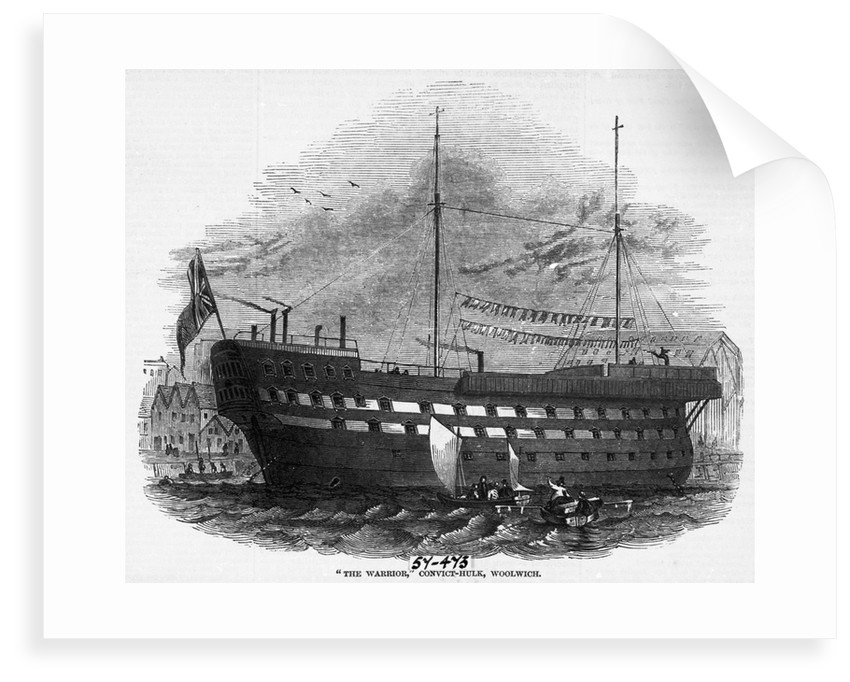
Other reports have him sentenced to imprisonment at Lincoln Castle. John, however, was found in the records aboard the prison hulk ship the Warrior, docked in Woolwich, and given the conditions and reputation of Lincoln Castle prison at the time, that seems to have been by far the better option for John.
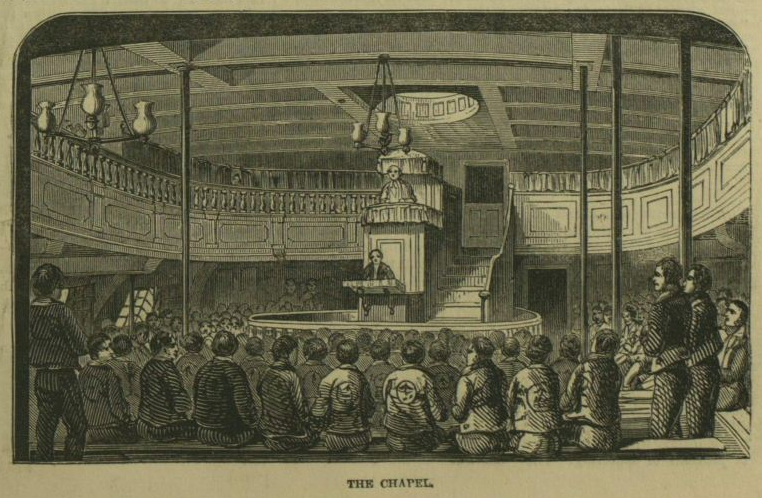
The chapel of the Warrior hulk ship.
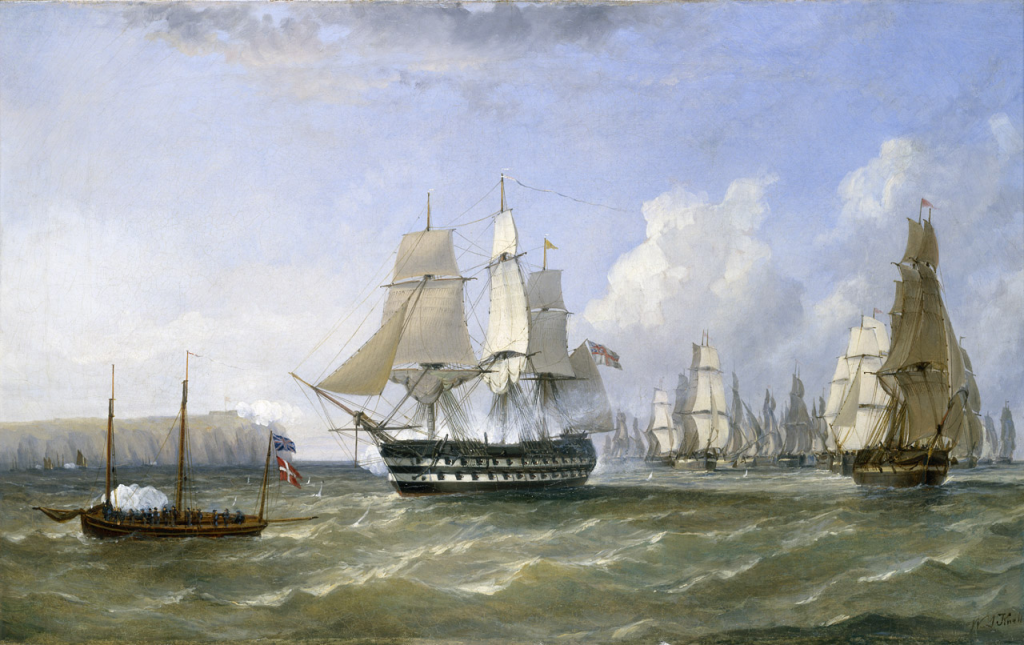
The Warrior seen here in active service in 1807

However, he never left England.

For some unfathomable reason, a few years later, he was pardoned by Queen Victoria.
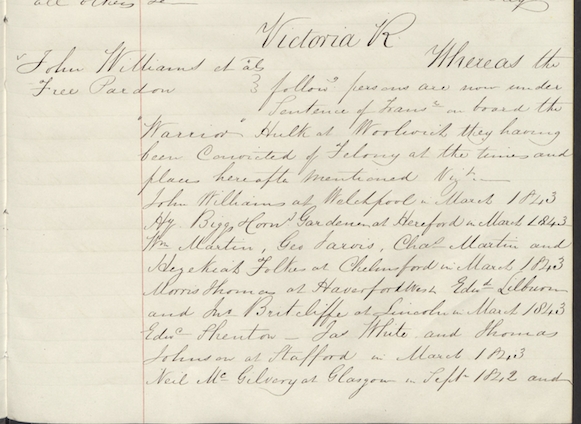
Victoria R
John Williams et al
Free Pardon
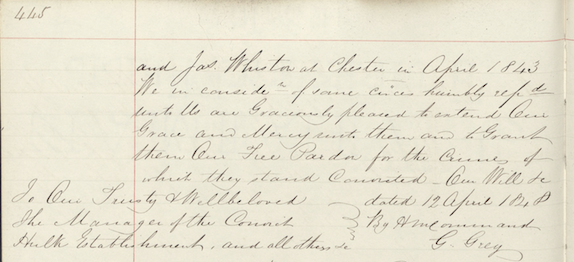
Whereas the following persons are under sentence of transportation on board the Warrior Hulk at Woolwich they having been convicted of felony at the times and places hereafter mentioned. Viz
John Williams at Welchpool in March 1843, Hy Biggs Horn Gardener at Hereford in March 1843, Wm Martin, Geo Jarvis, Chas Martin and Hezekial Folkes at Chelmford in March 1843, Morris Thomas at Haverford West, Edward Lilburn and John Britcliffe at Lincoln in March 1843, Edward Shenton, Jas White and Thomas Johnson at Stafford in March 1843, Neil Mc Gilvary at Glasgow in September 1842 and Jas Whistow at Chester in April 1843.
We in consideration of same circumstances humbly represented unto us are Graciously pleased to extend our Grace and Mercy unto them and to Grant them our free pardon for the crimes of which they stand convicted. 
12 April 1848

The irony is their children did well, and some moved down under of their own accord! The Britcliffe’s are alive and well in the UK and the Southern Hemisphere, and I guess I’m living proof of that!

This is the first post of some genealogy stories as I get back into researching the family tree – who knows what else will come out of the woodwork…

PS Thanks to Mike Dawson for the transcription and images above.
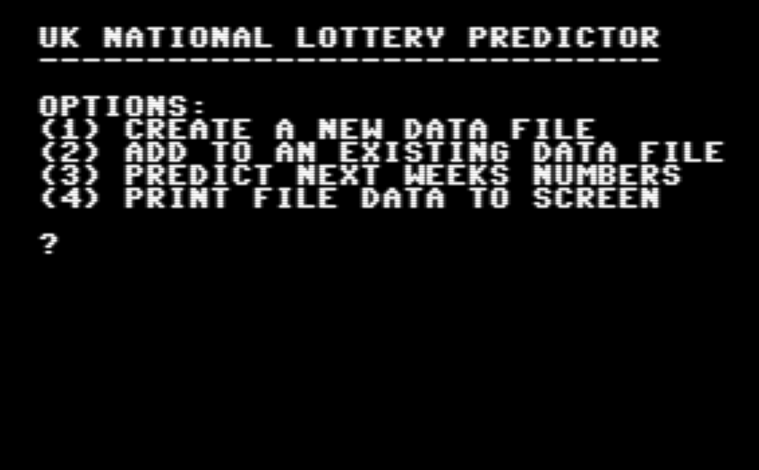
I’m going to be rich, rich I tell you!

More an exercise in getting the mechanisms right for creating, loading and appending SEQ files in CBM Basic than the foolproof get rich program I secretly think it is, but you never know….

For some reason SEQ files always give me problems and it’s usually because I forget to use the correct flags, especially ‘a’ for appending. Leaving the ‘a’ out on creation, remembering the ‘w’ and ‘r’ for write and read. Basic (no pun intended) stuff I know, but I code fairly infrequently these days and always have to remind myself of the unforgiving syntax.

Anyway, lets get rich.

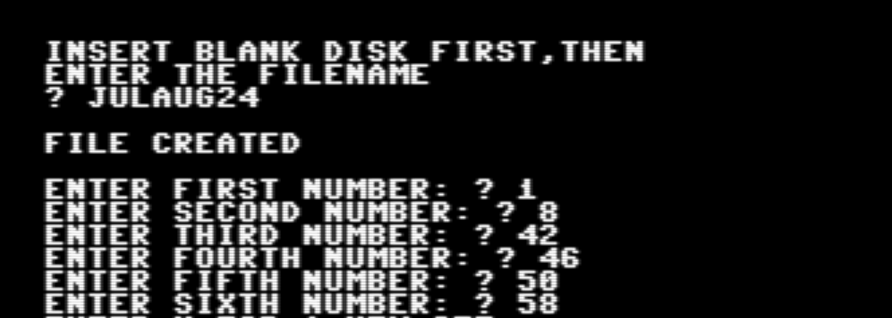
Option 1 just creates a new data file to disk.

And then moves on to the lottery results input screen. I’m not really sure how much data will fit on a file yet, so I’m guessing at around 2 months of past results can be created without too much problem. I’ll then as a phase 2 work out how to merge all past months data together when predicting. For now I am just going to enter July and August 2024’s results to date.

And so on for all the weekly results.

Option 2 in the main menu adds to an existing file, so I tested this a few times by stopping my input and returning to the file to add a few more lines.

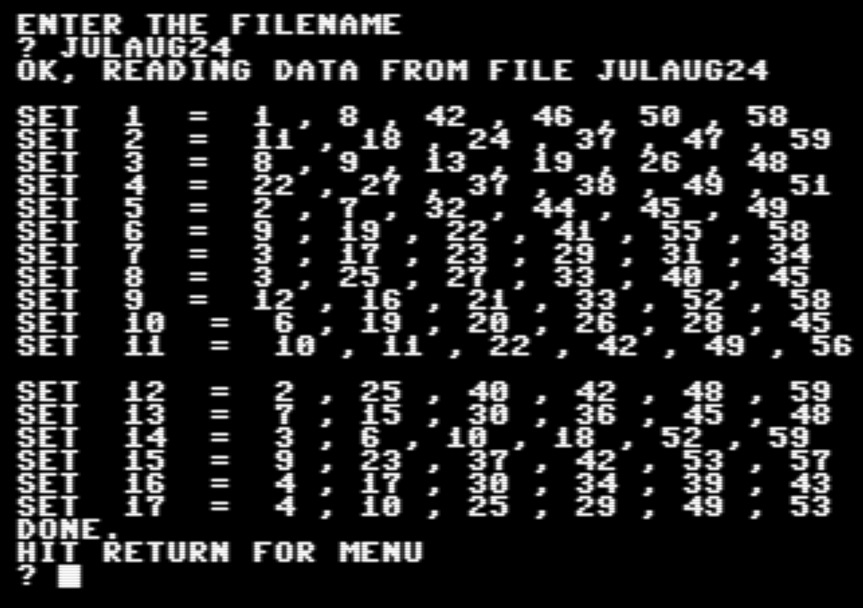
And I added an option 4 to give me confidence the numbers were being input and stored correctly.

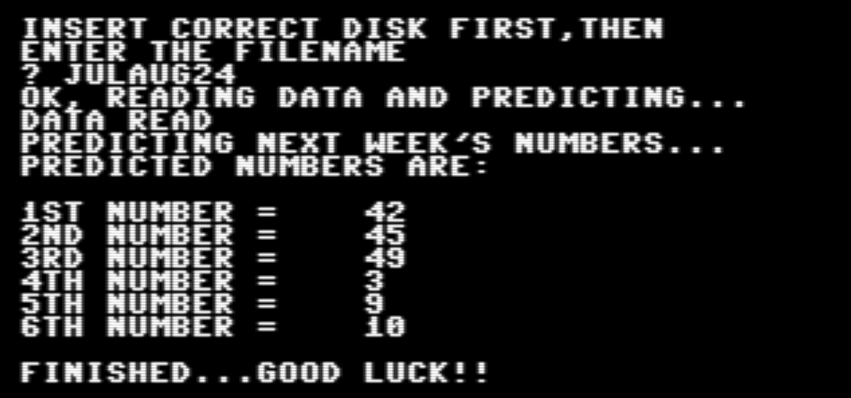
So a small set of data really. Still, that shouldn’t stop the prediction from being 100% accurate….

As simple as that. All I have to do now is work out what to spend my money on.

Anyway, there we have it. A bit of fun but that won’t stop me inputting the whole of 2024’s past results and beyond with a ridiculous optimism.

I’ll tidy it up a bit and create a 2024 data file then put both up here for people to mess around with.

That’s if I haven’t moved to Monaco of course…..

All Around The Wold

I started geocaching in 2005. It was fairly new then and there weren’t that many caches around, but the driving force behind starting it up was to give my then young kids some incentive to come on walks with us. It worked too, they really enjoyed it, and, back then, caches seemed to be way more fun for children, often hiding a variety of collectibles and toys.

Now, fast forward almost 20 years, my incentive is slightly different – I need to get fitter after a long time sitting behind computers, and walking and cycling are my preferred methods of exercise, so geocaching seemed like a great way to motivate myself.

I was pleased to be able to reactivate my old account seamlessly, and see that my old finds and hides were still listed. I live in The Cotswolds, and I’m a huge The Jam fan, so the name seemed fairly obvious to me back in 2005 and I think still works today.

I was also excited to see how many caches are available today! I think it must have exploded around lockdown or something, or maybe it just carried on growing in popularity without me knowing, but there are a lot. Some things have changed though. I have noticed many more micro caches being hidden as opposed to the more traditional, small lunch box size that seemed to be the norm when I started. This is fine, and micros are fun to find, but it greatly restricts what can be placed in the cache. The small and medium ones too seem to lack anything of any note – people are simply not leaving things in the cache, probably as there are just too many of them. One of the fun aspects of geocaching for me was travel bugs – I released several myself and have a currently active one in circulation. These too seem fewer in number, although I did pick one up in France recently to bring back to the UK.

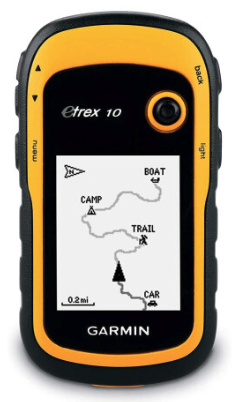
But it is still unquestionably fun though, and gets me out there and a bit more active, so it’s all good from that point of view. I have also got a nice little second hand GPS unit, a Garmin eTrex 10. Most people seem to use their phones nowadays and that’s fine of course, but when I started out, using a dedicated GPS was the done thing, and it just seems right to carry on using one today. Plus it mounts nicely on the bike without risking a broken iPhone in the event of a mishap!

I have just got back from France where I found over 20 new caches to kick start my geocaching adventure, and even my now grown up kids have caught the (travel) bug and have created their own accounts. Something fun for us all to catch up about.

With the way the world is today, a nice simple hobby that gets you outside and has you searching for small, large, interesting treasure chests, and that also takes you to some interesting places you’d never otherwise visit, has already made me happy. And happy is good.

I’ll blog here about some of the more interesting caches I come across, with periodic updates on my travel bug, my hides and interesting areas I discover.

Advent of Code 2023 Day 1

Here we go then, the 1st day of 2023’s Advent of Code. 

Day 1 looked deceptively simple, with part 1 completed in pretty quick time. The only real problem was the large amount of data caused memory overflow issues, so I split it into 4 separate parts for the data statements.

I’ll list some code segments with explanation on how I did it below, but I don’t want to post the answers for this current year on here for obvious reasons.

First off, declaring the variables:

I used two subroutines to do the number crunching. It’s not very complicated, this one is used to find the left most number. It’s first set to 100 so we have a benchmark to compare against later on. It then simply loops through each character based on the length of the string and compares it to a digit.

LN (Left Number) is set to a multiple of 10 to satisfy the problem – so if 3 is found first, it needs to be set to 30 as we want to add the single last digit of the string to it. i.e. if the last digit found is 5 then the value for this line would be 35.

Once a left number is found, the loop obviously needs to exit to prevent it finding any more numbers – so we exit as soon as LN is less than 100 (i.e. any of the other values).

SUB FINDNUMSL (TEST$ AS STRING * 96) STATIC
L=LEN(TEST$)
LN = 100  'set to an unfindable value - only required for LN
FOR I=0 TO L-1
    M=MID$(TEST$, I, 1)
    ' Test for left numeric only
    IF M="0" THEN 
    LN=0 
    END IF
    IF M="1" THEN 
    LN=10 
    END IF
    IF M="2" THEN 
    LN=20
    END IF
    IF M="3" THEN 
    LN=30 
    END IF
    IF M="4" THEN 
    LN=40 
    END IF
    IF M="5" THEN 
    LN=50 
    END IF
    IF M="6" THEN 
    LN=60 
    END IF
    IF M="7" THEN 
    LN=70 
    END IF
    IF M="8" THEN 
    LN=80 
    END IF
    IF M="9" THEN 
    LN=90
    END IF
    IF LN < 100 THEN ' We need to exit the loop as soon as a numeric is found
    EXIT FOR
    END IF
NEXT I
    ' Left most digit found
    ' End subroutine
END SUB

The subroutine for the right most number, imaginatively called FINDNUMSR, is almost identical except for 2 differences. We set RN to the single digit as opposed to a multiple of 10, as that will be added to LN, and we don’t exit the loop, meaning we keep going until the end so that RN holds the last value in that string.

With the SUBS setup it’s just a matter of cycling through each input line, calling them both, and totalling up the values as we go.

And as I said, I did this 3 more times for the other 750 lines of data, which yes is a bit cheaty but then XC=BASIC makes me lazy.

Part 2 was trickier as we had to find actual strings of digits that would take precedent over the digits themselves, so if the string looked something like ‘iuskjnineij5hkjlcnd6slkj8klmsstwo‘ the result we want is 92.

To accomplish this I just did more of the same and added extra logic into both subroutines, again exiting the loop early for the left number and letting it complete for the right number.

    'Part 2
    IF M = "o" AND MID$(TEST$,I+1,1) = "n" AND MID$(TEST$,I+2,1) = "e" THEN
    LN=10
    END IF
    IF M = "t" AND MID$(TEST$,I+1,1) = "w" AND MID$(TEST$,I+2,1) = "o" THEN
    LN=20
    END IF
    IF M = "t" AND MID$(TEST$,I+1,1) = "h" AND MID$(TEST$,I+2,1) = "r" AND MID$(TEST$,I+3,1) = "e" AND MID$(TEST$,I+4,1) = "e" THEN
    LN=30
    END IF
    IF M = "f" AND MID$(TEST$,I+1,1) = "o" AND MID$(TEST$,I+2,1) = "u" AND MID$(TEST$,I+3,1) = "r" THEN
    LN=40
    END IF
    IF M = "f" AND MID$(TEST$,I+1,1) = "i" AND MID$(TEST$,I+2,1) = "v" AND MID$(TEST$,I+3,1) = "e" THEN
    LN=50
    END IF
    IF M = "s" AND MID$(TEST$,I+1,1) = "i" AND MID$(TEST$,I+2,1) = "x" THEN
    LN=60
    END IF
    IF M = "s" AND MID$(TEST$,I+1,1) = "e" AND MID$(TEST$,I+2,1) = "v" AND MID$(TEST$,I+3,1) = "e" AND MID$(TEST$,I+4,1) = "n" THEN
    LN=70
    END IF
    IF M = "e" AND MID$(TEST$,I+1,1) = "i" AND MID$(TEST$,I+2,1) = "g" AND MID$(TEST$,I+3,1) = "h" AND MID$(TEST$,I+4,1) = "t" THEN
    LN=80
    END IF
    IF M = "n" AND MID$(TEST$,I+1,1) = "i" AND MID$(TEST$,I+2,1) = "n" AND MID$(TEST$,I+3,1) = "e" THEN
    LN=90
    END IF
    ' End of part 2

The total run time, for both part 1 and part 2 in the same script was 12 minutes 56 seconds.

This screen shows just 1 part completing – there were 3 more after this and I totalled up the output for my answers.

Advent of Code Prep – 2023

I like some direction and order in my life, or maybe I need it rather than like it, but either way Advent of Code is something that very much appeals to me as it gives us daily problems to solve and actually gets me coding and thinking.

This year, actually my first year, I will be attempting to solve each problem in XC=BASIC. The main advantage of using XC=BASIC is, of course, the modern IDE and the slightly more flexible way I can get data in. The way AoC works is they give you data inputs for the problems, and sometimes these are quite large amounts of data. XC=BASIC helps overcome some of the limitations of CBM Basic while still allowing it to compile down and be run on the Commodore 64.

So, to get me started and by way of a bit of a ‘toe dipping’ exercise, I am going back to AOC 2022 and completing the first few days. I’m not interested in leader boards or competing online. I will be taking my time with each problem and solving them in my own, no doubt incorrect and inefficient way.

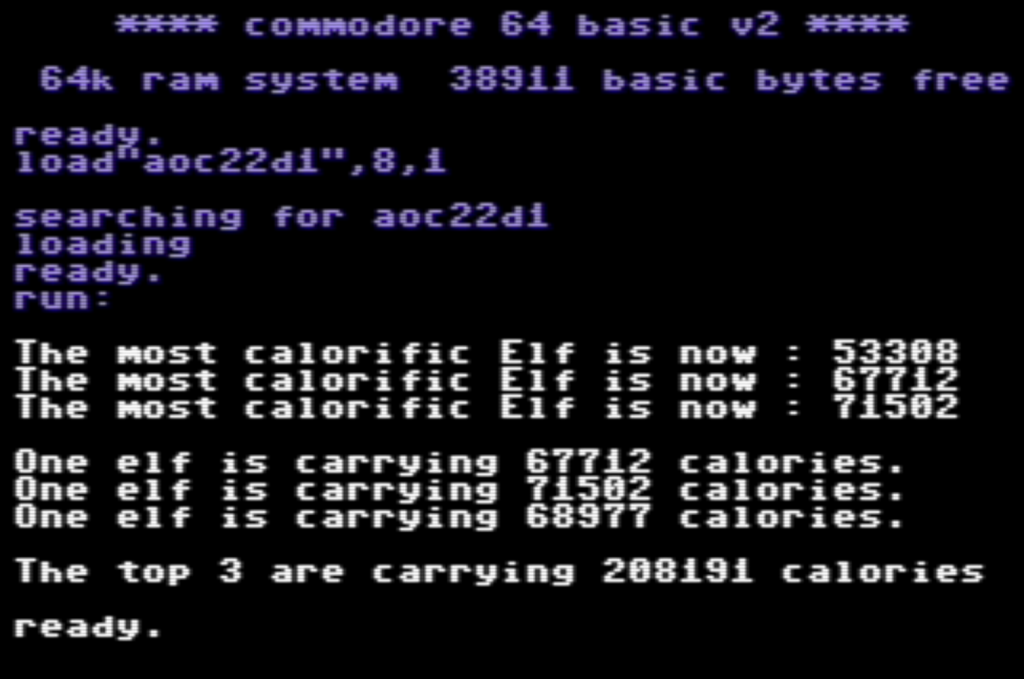
This is day 1.

You can find the full text of the problem here and, obviously, if you want to try this out for yourself, stop reading now as the answer is given below!

The first part was relatively simple, define an array, add the data, then cycle through the values adding them up and comparing them to the last highest value, which gives us the elf carrying the most calories compared to its pals.

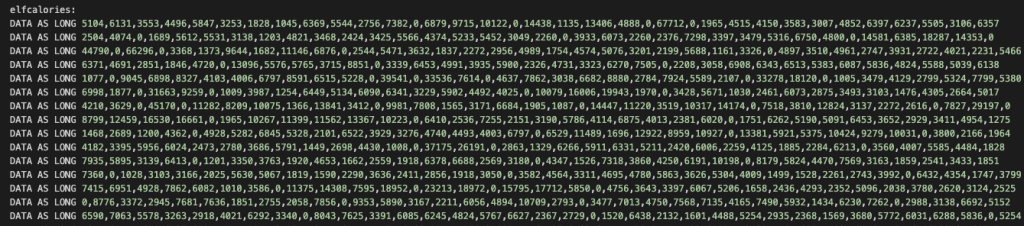
I replaced all the blank lines in the large dataset with a zero to indicate the end of one elf’s total calories and the start of the next.

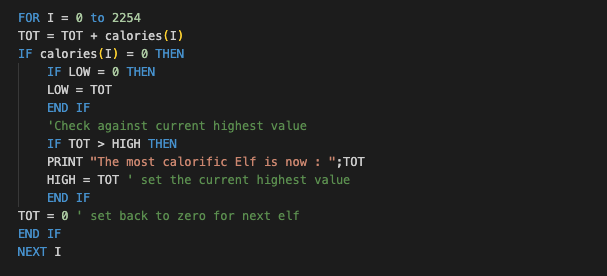
So you can see each time a zero is encountered we can total up the calories and compare to the last elf.

You’ll see there I also set a LOW counter which is needed for part 2 of this challenge. It basically sets the first load of calories, in this case 53308, to LOW and uses that to compare against later, along with the HIGH value.

So, a relatively gentle one to start with but very glad I did it as I now have my XC=BASIC development flow set up again properly and I have reminded myself of the little foibles that the language has – I’m looking forward to starting 2023’s calendar!

Oh, and for what it’s worth, I got 2 gold stars for this problem 🙂

This is probably going to keep me busy until well into the new year, after which time I will be returning to adventuring! I’ll try and squeeze another 2022 problem in before the 1st….but no guarantees!

Thanks for reading.