This is something I have been meaning to do for years, and I have finally decided to dedicate some time to it. My first love of gaming, a love that never seems to dwindle, is text or text/graphics adventure games. Think Infocom, Level9 etc. for the type of games that really captured my imagination as a kid. I longed for a 1541 drive so I could access the better ones, but there were more than enough to keep me going on cassette.
Now, such restrictions are a thing of the past. My 1541 Ultimate II drive is loaded to the gunnels with adventure games and the journey I am about to embark on, a foolish, some would say reckless journey, is to play them all. Yep, every last one of them.
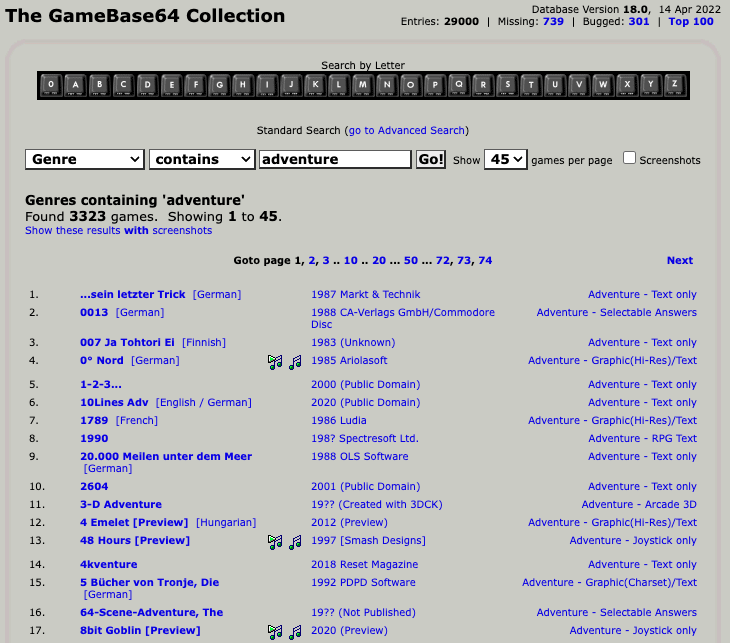
It’s hard finding a definitive list, and I know more and more are being created today (I’m writing one myself!) but I had to have some form of guidance. So, I am using the excellent GameBase64 as my bible – if it ain’t in there (at least up to the current version date) then it doesn’t exist.
I’ll be doing the English only ones, by the way, because I’m not mad, and taking them on alphabetically as opposed to release year. I will also be including the terrible, along with the brilliant. No plastering over awful releases – this adventure will be warts and all.
My plan is to do a brief review up front of each one and a simple score based on parser, story, difficulty and enjoyment. Be warned, the longer review will contain spoilers, but I will also put that caveat in every post, and I will endeavour to put anything I think of as a potential spoiler behind a warning, like this:
Spoiler
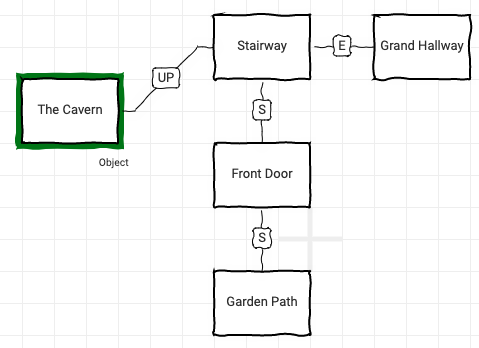
As I play through I will also be mapping the game, mostly using the wonderful Trizbort.io
So adventurers, buckle up, knuckle down, pack up your kit bag and smile, and join me for a lifetime of adventures….part 1 coming very soon!
I’ve been writing a bit about the Amstrad NC100 over on mastodon lately, and talking about transferring files to and from macOS as well as experimenting with BBCBasic.
This post, which admittedly is a little niche and may only appeal to a a handful of people, is about that process from start to finish. If I don’t write this stuff down I forget it and have to relearn it all over again, so this is also very much an aide memoir for me too.
What you need
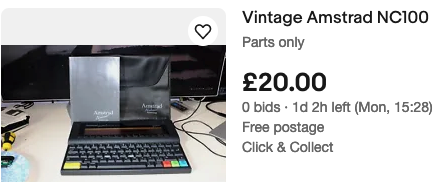
OK, stating the obvious, you will need an Amstrad NC100. You can get these on eBay quite reasonably, especially if you are, unlike me, patient. Also, top tip, if you see one that will not power on sold for parts only, the very high probability is the fuse has been blown by using an incorrect power supply. The fix is dead simple and you can snag a bargain this way.
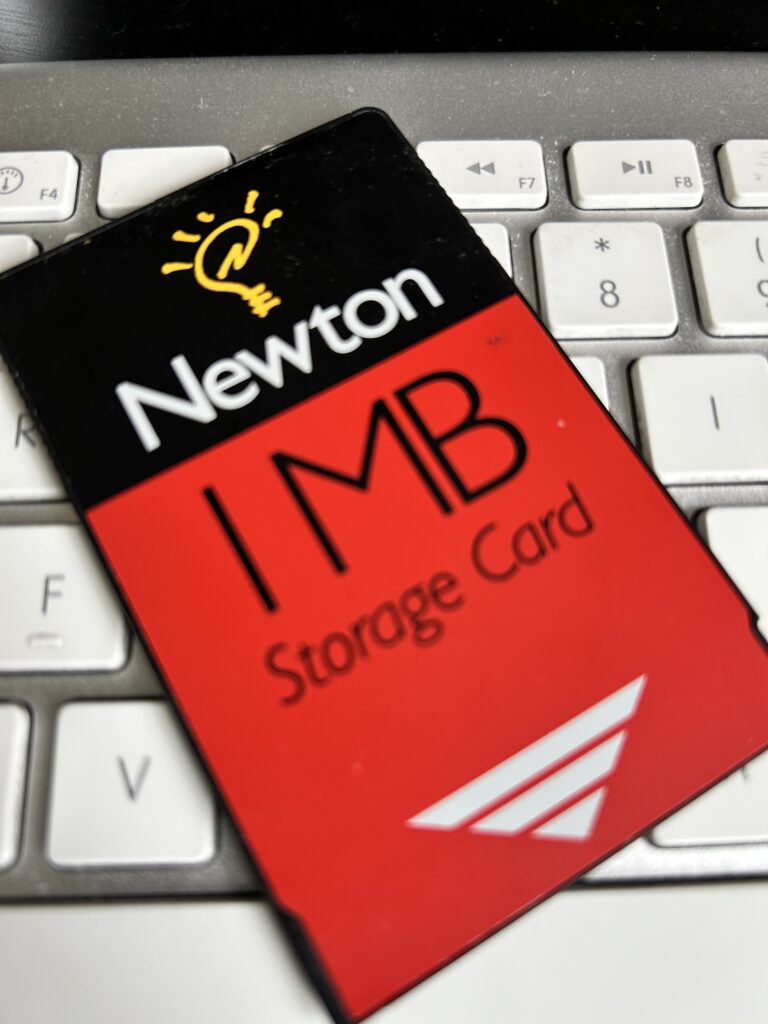
Next up, and this is the tricky part, you will need at least 1 memory card. The Amstrad NC100 uses the same SRAM memory as the Apple Newton, PCMCIA Type I SRAM with a CR2032 lithium battery. The same battery as the CMOS backup battery inside the NC100 itself. They come in 256KB, 512KB and 1MB (the maximum the NC100 supports)
These cards are getting very hard to find, and as such are ridiculously expensive. You can use the NC100 without a card, but you will have to be very good at space management and be constantly moving files back and forth. Fine for simple word processing etc. but not so good for multiple BBC Basic programs.
I managed to find 2 Apple Newton 1MB cards from Best Electronics in Canada, and if it wasn’t for the price of postage to the UK they would have been an absolute bargain! They were dangerously low on stock when I ordered them, and are unlikely to be getting any more any time soon, but definitely worth emailing them to check – they were incredibly friendly and helpful. Failing that, eBay or your usual retro sources have them, but be prepared to pay a premium.
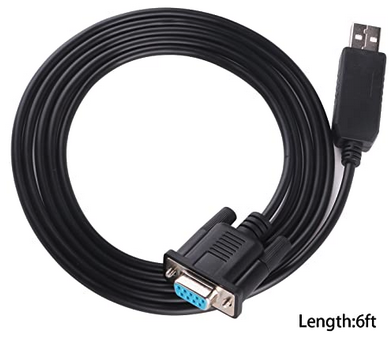
And the final piece of kit we need is a null modem cable RS232 Serial to USB – this is what I needed for my M1 MacBook Pro so other setups will probably need slightly different cables, but if you are USB only then this cable or similar will work. I have had issues in the past with these cables so now I have found one that works without any issues I will always recommend this particular one.
USB to RS232 DB9 female null modem rollover serial serial cable
Length:6ft /Chip: CP2102.
The USA quality ftdi chip ensures stable transmission of signals
Compatible with windows, linux and macOS
The drivers listed above are all available to download for free from CP2102 website https://www.silabs.com/products/development-tools/software/usb-to-uart-bridge-vcp-drivers.
I got the drivers from the site mentioned in the listing and they worked fine on macOS Ventura 13.3.1
After a bit of research and trial and error, I landed on Cool Term for the terminal app. Its a pretty good terminal app in it’s own right, but particularly useful here as it has all the settings and control needed for the quite fussy NC100. It was last updated 4 months ago and runs well on Apple silicon.
OK, so we’re all set to start writing our first bit of BBC Basic.
I thought I’d keep it simple for the first go with a binary to integer converter.
10 REM  Binary to Integer Converter
11 REM  By Jonny Pencils
12 REM  (c) 2023 ElliSoft
13 REM             __     __
14 REM            /  \~~~/  \
15 REM      ,----(     ..    )
16 REM     /      \__     __/
17 REM    /|         (\  |(
18 REM   ^ \   /___\  /\ |
19 REM      |__|   |__|
20 REM
100 CLS:PRINT"BINARY TO INTEGER CONVERTER"
110 INPUT"ENTER YOUR BINARY NUMBER NOW:",I$
120 L=LEN(I$):B=0
130 FOR I=1 TO L
140   B=B*2
150   IF MID$(I$,I,1)="1" THEN B=B+1
160 NEXT
170 CLS:PRINT"THE INTEGER FOR ";I$;" IS ";B
180 INPUT"AGAIN",A$
190 IF A$="Y" THEN GOTO 100
This post isn’t about BBC Basic as such, but a good starting point for the differences in syntax between the BBC and the NC100 (there aren’t many at all) is Tim Surtell’s NC100 site which is a really good source of information and is still being maintained today.
OK, so once you have your program written and you are ready to get it across to the NC100, we’ll hook up the Amstrad to the serial cable and start up Cool Term.
If the drivers installed correctly, when selecting the port under Cool Term you should see an option for SLAB_USBtoUART. Select that, and we need to set the BAUD rate to 2400 8-N-1. You can experiment with other settings but I can save you the trouble – any other combination or speed had issues. Bringing the speed down to 2400 was the only way to get in consistently working without error.
Now, making sure the cable is connected both ends of course, we need to go to Connection in the menu and select connect. If all is well the display will change to ‘connected’ and you’ll see green RTS and DTR lights.
Now we need to get the NC100 ready to receive a file.
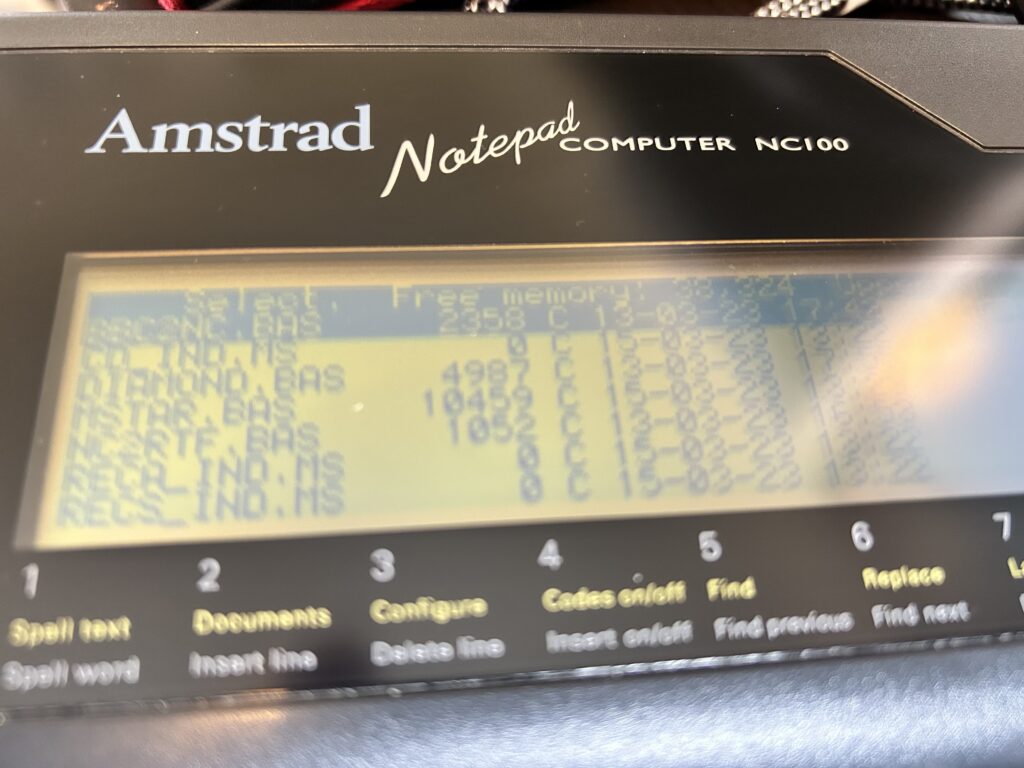
On the Amstrad NC100 we need to hit the yellow function key and L to ‘List’ the files we have stored into memory or on the card. Here you will just get a directory listing of everything we have written or transferred to date.
From this screen press the SECRET/MENU key to the right of the spacebar, and then select ‘T’ for the transfer options.
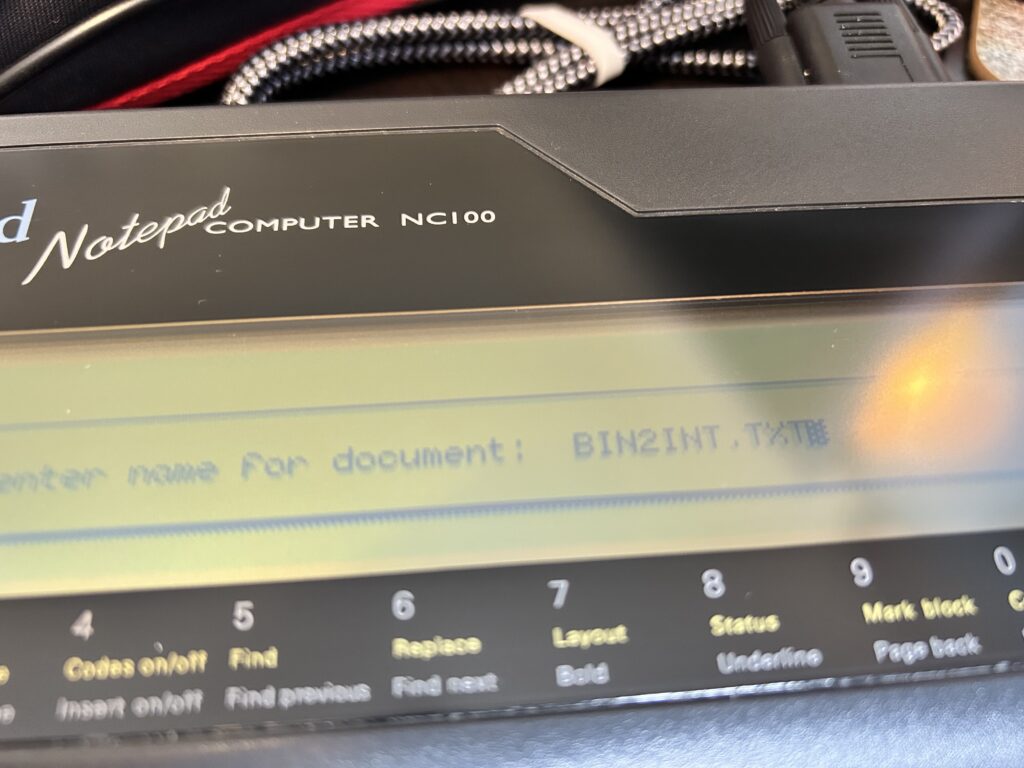
We want to receive a file so we want option ‘R’. Once R is selected we can give the file we are receiving a name and hit return. It is best to give the file a TXT extension at this stage, but it can be anything really.
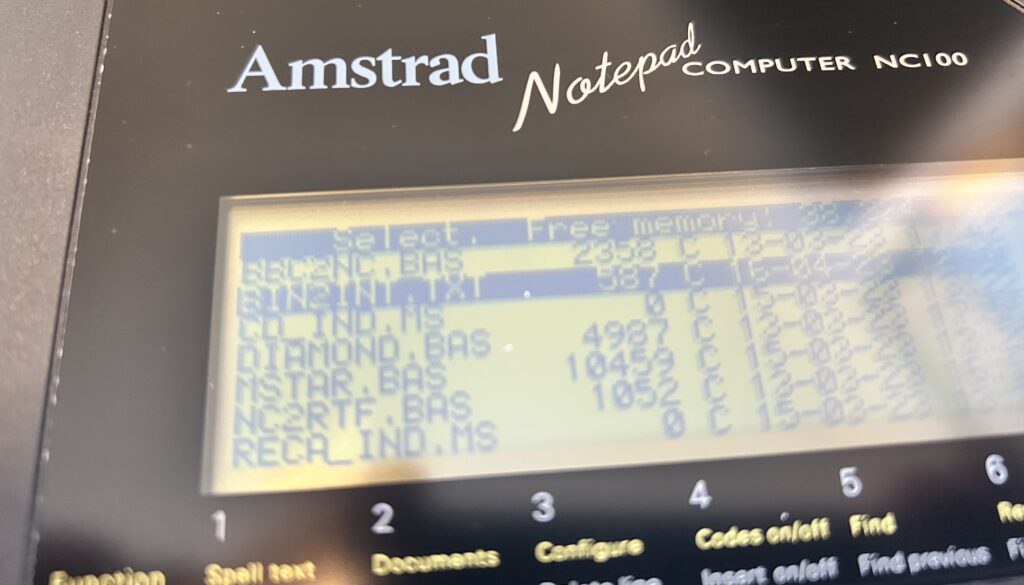
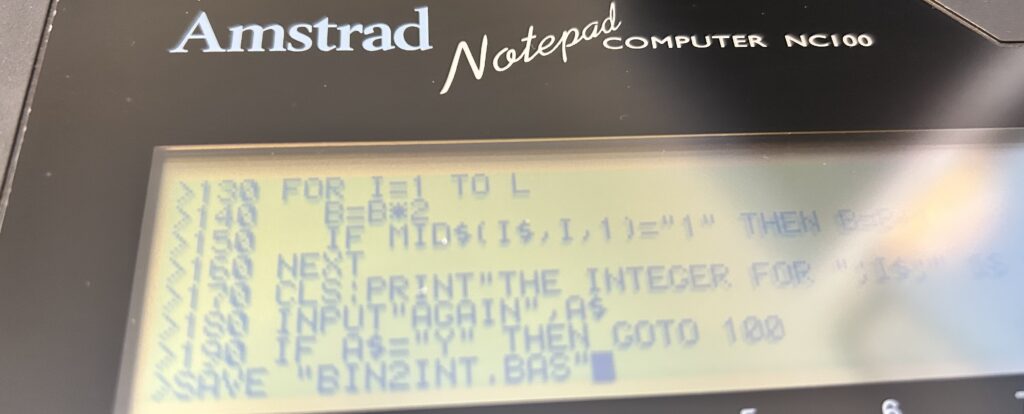
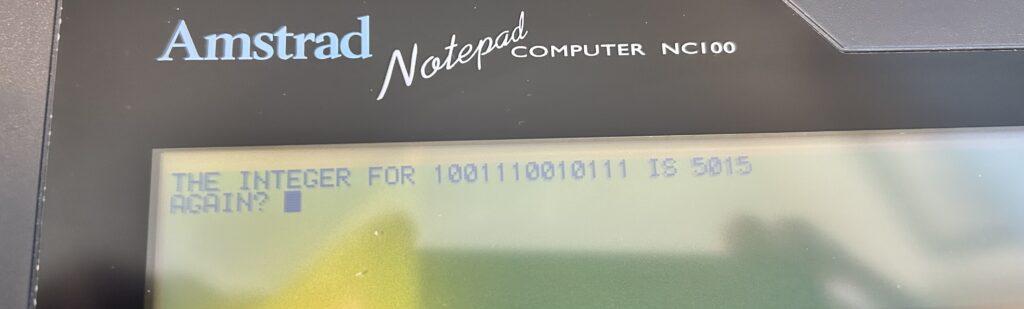
Forgive the quality of the screenshots – there is actually a BBC Basic program that enables screen captures and conversions on the NC100 so I will have to get that sorted out for future use.
When return is hit on the NC100 it will go into ‘Receiving File’ mode and then you can go back to Cool Term, go to Connection, and select ‘Send Text/Binary File’. Choose our BIN2INT.BAS file and hit OK. You should see the bytes received and the message that the file has been saved correctly and to press STOP to exit on the NC100.
If all went as expected we now have the file BIN2INT.TXT on our NC100.
There is one more step we need to do before BBC Basic can recognise and run this file. I spent way too long working this out whilst the instructions were there in black and white in the NC100 book I got – RTFM I guess.
Anyway, we now need to start BBC Basic on the NC100 by hitting Function (yellow) and ‘B’.
Then we need to run the following:
*EXEC “BIN2INT.TXT”
BBC Basic will then load the TXT file into memory one line at a time. Once done we can save as a BAS file. On the NC100 BAS files can be selected and immediately run in BASIC if required, but you can give it any extension and simply LOAD it into memory in the normal way.
Once we have our saved file we can RUN it as you would normally do. We can also go back and delete the TXT file which is good practice to manage memory.
And there we have it. I’ve started to write a vinyl record database and a text adventure for the NC100 so will have those available here once done.
It really is a lovely little machine, and one with quite a bit of untapped potential I fancy. It even has a built in assembler which I haven’t started to look at yet.
Over on Tim’s site there is an emulator available which is going to be my next step as I’ll need to test often when writing anything more complex and an emulator seems sensible for that.
I hope the 3 people that this post is relevant for find it useful 🙂
I’ve been meaning to really seriously start learning assembly on real hardware for, well, since I was 15 really, but if I am honest I really struggle – not enough time to dedicate to it I think (that’s my excuse), and I always fall back to the CBM Basic I learned as a kid.
So I’ve been looking for a halfway house to tide me over until such time as I am proficient enough in assembly (that day will come – never say never!)
My main project at the moment is a C64 text adventure to accompany a book I am writing. I am in the parser phase, creating an effiicent way to parse instructions and return meaningful actions, and I think I can get a decent parser done in Basic. It’s just sloooow.
Enter Blitz! – Blitz promises to compile basic to run faster. And it does. There are a number of compilers out there, all with their own limitations and quirks it seems, and I am not going to try all of them today – but the other one in the mix which is considered one of the best is Basic Boss. Great name 🙂
First of all a quick benchmark program to test the compilers. I wrote a small routine to calculate prime numbers between 1 and 1000 – probably a more efficient way to do it but that isn’t the point. As long as we’re comparing eggs with eggs.
In CBM BASIC, as it comes, the sequence of 1 – 1000 completed in 8 minutes 56 seconds.
Standard CBM Basic
Blitz! loads up from disk and asks a question around setup – dual or single floppy.
At this stage make sure your disk containing a copy of your program is mounted. Blitz asks for a file name immediately after selecting 1 (single floppy) and you simply type the name of your PRG file (minus extension). The compiler then makes a couple of passes of the code and compiles to two file. IN my case PRIME compiled to C/PRIME and Z/PRIME – C/PRIME being the one you load and run.
So the moment of truth, loading and running C/PRIME shaved 3 minutes 12 seconds off the time, repeatable on each run.
Blitz Basic
Coming in at 5 minutes 44 seconds – I was reasonably impressed with that, but obviously need to do some more testing on more complex BASIC code with my text parser to get a really good idea of speed gained.
Basic Boss is lauded as the best compiler out there, but it came in at 6 minutes 03 seconds, so behind Blitz by 19 seconds – again, more testing required and I suspect results may differ on larger programs.
Basic Boss
Basic Boss too is very easy to use and is basically the same operation as Blitz. Mount your disk, pass it the filename and compile. It compiles to +PRIME (adding a plus sign to the front) and is a single file. It reportedly compiles to pure ML which is why I suspect it may perform better on larger, complex programs than Blitz but we will see.
I’ll update with some parser benchmarks once I am ready to do some testing but for now, I am optimistic that at least one on these compilers will speed up BASIC text adventures to a point where they are playable. If I have time I’ll maybe repeat this excercise over the weekend on BASIC 64, Diablo and Laser, another three compilers worth trying out.
As an aside, I’m also looking at using the Infocom library for 8-bits, PunyInform, but I don’t want to come out of the C64 bubble and work on modern hardware. I’m odd.
By the way, all software and info can be found here.
Following on from the intro and scene setting of my previous post, this is the first in a series of XC=BASIC v3.0 features on various snippets of code and features for my Adventure Game template.
The idea is to create a framework for the working engine of a text based adventure game, including most of the generic parser routines and data structures for room, objects, inventory and actions etc.
My current thoughts are to include Excel in my IDE as a tool to enter, in array sequence, room and object names, descriptions, examine properties and exits and write a macro to turn these into XCBASIC statements. I may change this to write the generation of the code on the C64 itself for completeness, but my goal is not to create an adventure writing system per se, such as The Quill and others, but a framework of code I can re-use and adapt going forward.
Anyway, with all the benefits of XCBASIC, and there are many, there was one glaring omission which I think is vital for text based games, and that is the CBM Basic function of INSTR(). I come from an Oracle DBA and PL/SQL background and to me it’s an essential function.
Type: INTEGER Function General Programming-Syntax: INSTR(<string 1>, <string 2>[,starting-position])
Having recently logged an issue on the XCBASIC GitHub page, I spent a few minutes browsing through other listed issues/requests and was happy to see INSTR() included as something for future release. But in the mean time I had already written a small subroutine to achieve what I needed for the framework, which is what I’m discussing here.
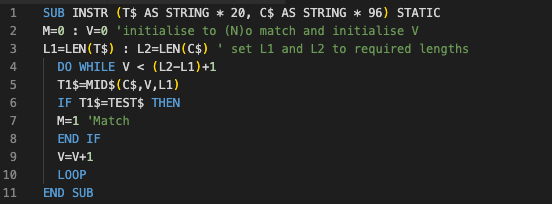
So, the above subroutine is fairly straightforward and should be easy to follow through. It is called an awful lot from my game framework and it is vital for the parser to allow it to be forgiving in user input. We not only want to pick up ‘the old and dusty lamp’ we want to be able to pick up ‘lamp’ or ‘the lamp’ or ‘the old lamp’ or ‘the dusty lamp’ – these individual words are captured in their own string variables and tested using INSTR() to see if they exist in the room object array. In most cases we are only interested in the noun and not the adjectives….but not always.
Let’s quickly go through the INSTR() subroutine above:
After defining the SUB and its arguments on the first line, along with their data types, the next 2 lines simply initialise a few variables.
M holds either 0 or 1. 0 means No Match Found and 1 equals, you guessed it, Match Found. V is just a loop counter variable. L1 and L2 hold the lengths of both the string to test, T$, and the string to check, C$.
With V now being zero the loop will start and will continue until V is less than the length of C$ minus the length of T$ + 1 i.e. we have reached the part where the word we are looking for could not possibly fit into the string we are checking.
Each iteration then simply checks if the string at starting point V and of length L1 characters matches the string we are testing, T$. It then increments V.
So with M initialised in this SUB we can simply test for the value of M when it returns to the calling block of code. Like I said, nothing complicated and fairly easy, and there may be more efficient ways of doing it.
Remember these posts are not instructor led, I am not an expert by any stretch of the imagination, they are on my part aspirational and hopefully collaborative to some degree, and as we delve further into XCBASIC I hope they will serve as a repository of useful information for whoever stumbles across them.
This is a quick introduction, and the first of what I hope will be many posts/tutorials (call them what you will) on XC BASIC and game creation that I hope anybody who happens to come across them will find useful.
I should confess from the off that I am not a coder, and I will undoubtedly do things wrong, learn from mistakes, and improve over time. I am more than happy for comments, in fact, I positively encourage them, on how to improve the code and make it more efficient, point out what I am doing wrong, or generally mock me for missing something obvious.
My goal is to get better, and these posts are a way for me to record what I have done so far and build up a library of articles that will, hopefully, help others but more specifically act as an aide-mémoire for my aging brain.
My tool of choice is XC=BASIC 3, and so these posts and code within will be 100% based on the language, syntax and libraries of that compiler.
I’m not going to go into the installation and setup of XC BASIC, but follow the link above and it’s all very obvious. It runs on multiple systems – mine is running very happily on a MacBook Pro. I’m also using Visual Studio Code as my editor, and VICE to emulate and quickly debug, as well as, obviously, my real Commodore 64.
I’m going to be using XC BASIC to code a text adventure game – something I have been meaning to do for ages and I have started, and got quite far in some cases, with The Quill, The Graphic Adventure Creator, TinyInform (an Inform 7 library) and numerous books and magazine articles, typing in endless lines of code. The latter was particularly time consuming and unfruitful – somebody else’s bad code starts you off on the worst possible footing. Whilst I could definitely come up with a workable game using The Quill et al, and I did, it still didn’t leave me with any real sense of achievement.
I stumbled upon XC BASIC just searching around for languages and standard BASIC alternatives, and immediately thought it suited me just right. Compatible enough with CBM BASIC to make it feel old school, but modern enough to do away with line numbers, have subroutines and functions properly defined, inline assembly and, more importantly, compile down to what is so far blisteringly quick machine language.
My goal – to release an adventure game as a companion for a book I am writing – seems that much closer now.
These posts will not detail that game as such, but more of a template or a framework – I am focussing from the start on reusable code and the creation of, if not quite a fully-fledged creation system or engine, a way to easily create new stories using the same framework.